![eMAP_LINK v1.0.4-dev & [更新] Fenix & PMDG EFB气象报文查询 - 万顷琉璃-万顷琉璃](http://www.ruri8557.top/wp-content/uploads/2025/07/20250726180231412-image.png)



eMAP LINK
下载并使用本程序即视为您已阅读、理解并同意 隐私政策 及 免责声明
更新内容:
- 优化排版
下载:
Fenix:
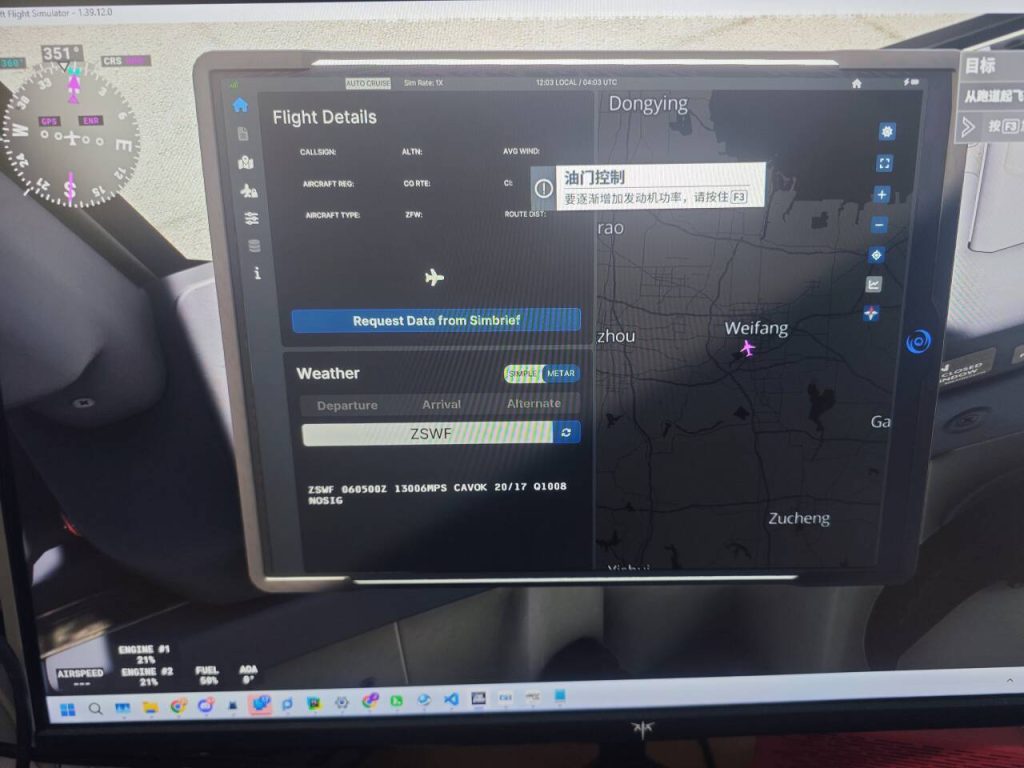
原:Fenix Simbrief航路导入&EFB气象报文查询
配置步骤大体不变,可使用新的proxifier配置文件:Fenix2.ppx,或手动更改:
- 代理规则-应用:
Fenix.GqlGateway.exe
FenixDisplay.exe
FenixCDU.exe
FenixWizzard.exe
FenixSystem.exe
FenixBootstrapper.exe; fenix.exe
flightsimulator2024.exe
FlightSimulator.exe - 代理规则-目标网址:
*.simbrief.com
*.aviationweather.gov
192.95.16.233
simbrief.com
www.simbrief.com
aviationweather.gov
另外,如果需要使用如clash类的代理原件,需要在 设置-系统代理-绕过域/网络 最后添加:
- "*.simbrief.com"
- "*.aviationweather.gov"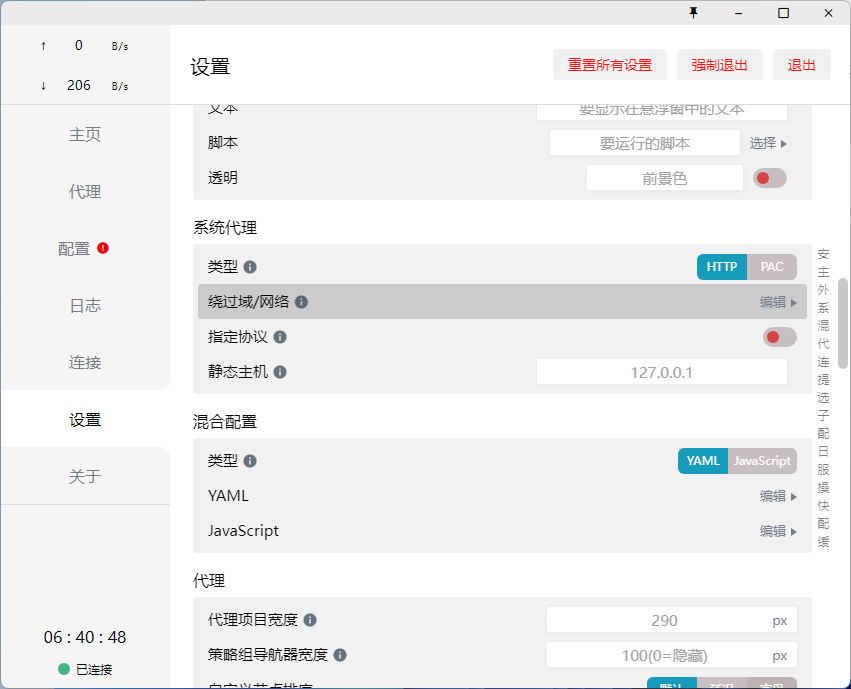
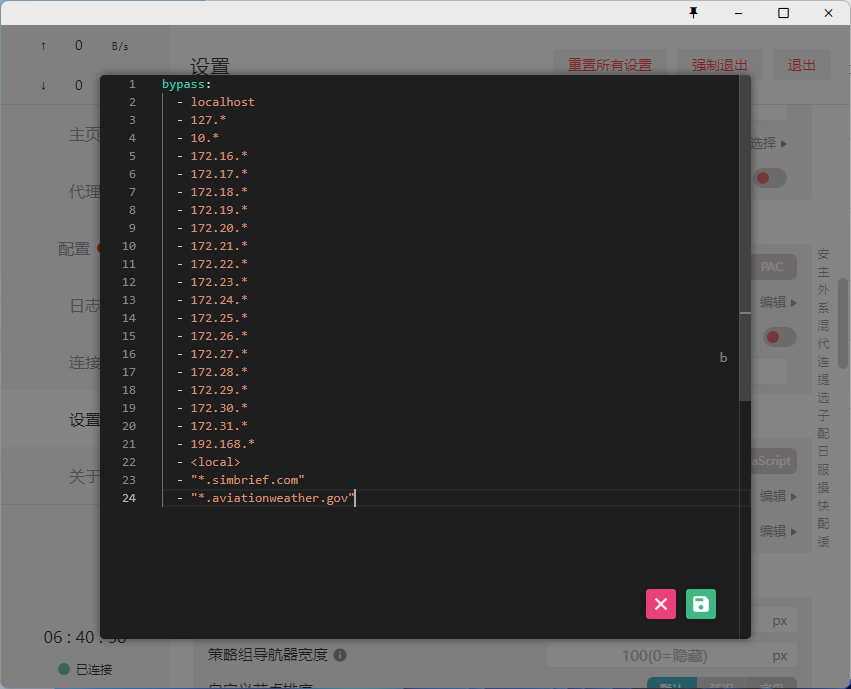
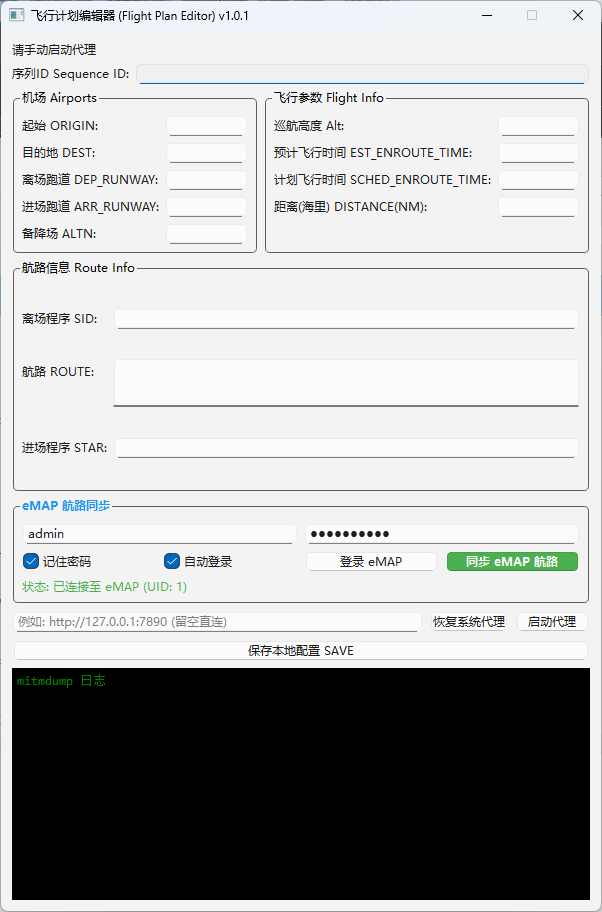
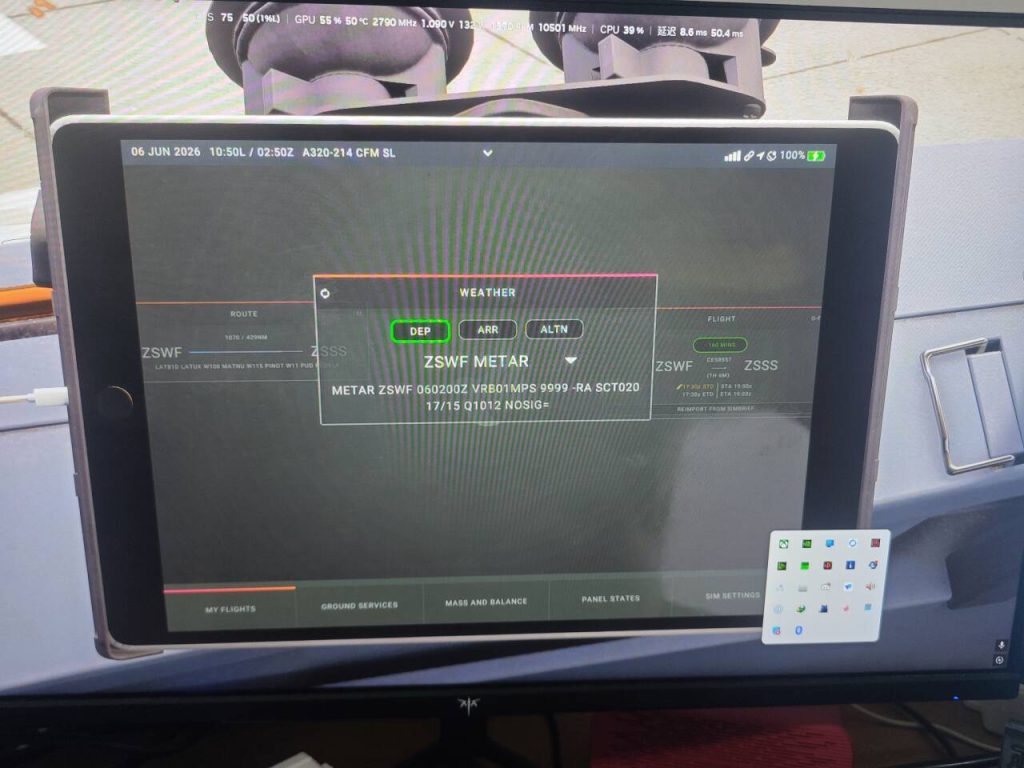
代理程序更新,原逻辑未更改,Fenix更新可能缩短了超时时间导致访问simbrief较慢时来不及处理或超时,现已增加网络代理功能,可让代理程序对外的访问流量通过系统代理程序加速,加速获取流程避免超时;现有问题:MCDU航路无法导入,fenix日志无报错原因不明
更新内容:
- 增加网络代理功能
- 增加同步eMAP航路功能
下载:
PMDG
原:
https://www.bilibili.com/opus/1041935718624002070
https://www.bilibili.com/opus/1057162051991896099
涉及文件更改,请备份相应文件
- 需要在小平板气象来源选择现实世界 REAL-WORLD并保存
- 打开机模插件文件夹,以738为例,定位到 pmdg-aircraft-738\html_ui\Pages\VCockpit\Instruments\PMDGTablet\pmdg-737-800
- 备份PMDGTablet.js
- 使用记事本/vscode/notepad++打开PMDGTablet.js,搜索fetchMetarDataFromServer,整段替换为:
async function fetchMetarDataFromServer(icao) { console.log('fetchMetarDataFromServer'); const response = await fetch(`http://103.91.210.141:5010/api/pmdg_weather=${encodeURIComponent(icao)}`); if (!response.ok) { throw new Error('Failed to fetch data'); } const jsonData = await response.json(); if (jsonData['@attributes'].num_results === '0') { const weatherError = { error: { code: 'No METAR Available', message: 'No METAR data available for that station. It may not supply METAR data, or you may have input an invalid ICAO code.', details: 'The data fetched from the real-world was not of the expected METAR type.' } }; throw weatherError; } return jsonData.METAR.raw_text; } - 保存
每次更新机模都需要手动更新,文件内容不同可参考上述两篇原文
服务器资源有限且存在其他服务请不要滥用
有关会员问题
仅可使用积分兑换,积分免费且不与实际金钱挂钩,本站不可充值(未对接支付服务,提示接口错误为正常现象)
© 版权声明
文章版权归作者所有,未经允许请勿转载。
THE END


- 最新
- 最热
只看作者